
How to Use an Old Phone as a Bedside Sleep Tracker
Yes: you can use an old phone as a bedside smart display for sleep tracking if you keep the job modest. It can show a readable clock, run Do Not Disturb, wake you during a lighter part of a sleep window, and estimate sleep timing, duration, and regularity. It should not be treated as a clinical sleep test, a reliable sleep-stage monitor, or a substitute for heart-rate, oxygen, or apnea-related data from a wearable, contactless monitor, or polysomnography.
That is still a useful job. A drawer phone can take over the bedside role your main phone should not have to perform: clock, alarm, sleep log, and nothing else. The trick is to set it up as a boring appliance, not as a second attention machine.
| Step | What to do tonight |
|---|---|
| Choose the phone | Use a working Android phone or iPhone with a healthy battery, stable charging port, and no swelling or heat problems. |
| Clean and update it | Factory reset if practical, update the OS, remove unused apps, and sign in with the minimum accounts needed. |
| Strip distractions | Turn on Do Not Disturb, disable notification badges, remove social apps, and use grayscale or a minimal launcher if available. |
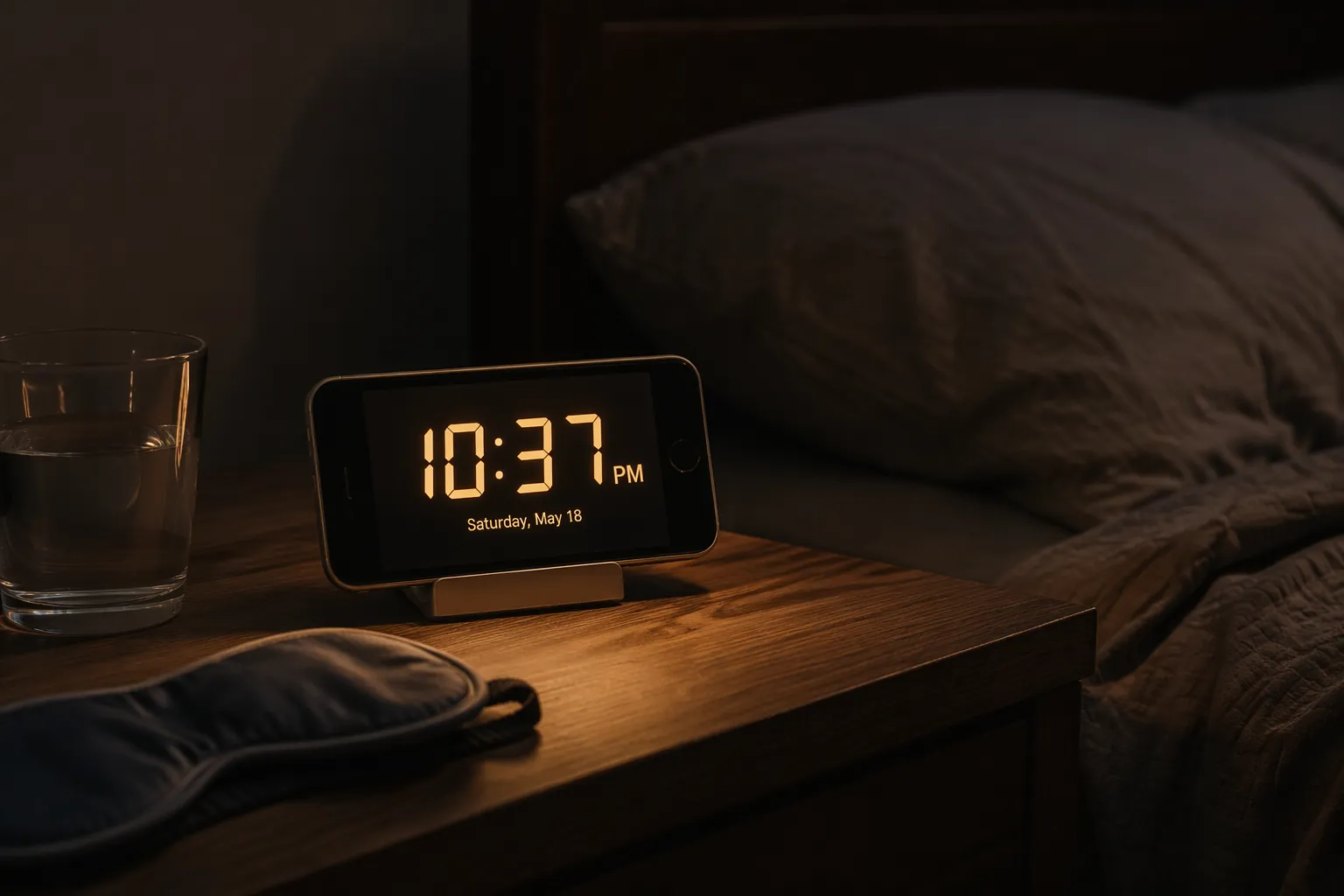
| Set the display mode | Use Android always-on display or a bedside clock app; on iPhone, use StandBy and Sleep/Bedtime features. |
| Pick tracking | Use accelerometer tracking if the phone can sit safely on the mattress; test sonar only if the room is quiet and the app supports it. |
| Control charging | Keep the phone uncovered, away from pillows and bedding, and consider a smart plug or charge schedule. |
| Test for several nights | Compare the log with when you remember going to bed, waking, and getting up rather than judging one night. |
Start With the Old Phone, Not the App Store
The best candidate is not necessarily the newest abandoned phone. It is the one that can sit by the bed every night without becoming a maintenance project. Check three things first: the battery is not swollen, the phone does not get hot while charging, and the screen can stay dim enough that it will not light the room.
A first-person MakeUseOf setup used an old Android phone as an always-on bedside assistant after basic cleanup, app removal, display changes, and charging controls, including a smart plug that cycled power off for one hour daily so the device was not held at 100% continuously.[1] That is the right spirit: make the old phone useful, but do not pretend a lithium-ion battery becomes harmless because the device is no longer your daily driver.
If you factory reset the phone, install only what the bedside setup needs: the sleep-tracking app, clock or display tools, and perhaps a weather widget if that helps your morning routine. If you do not reset it, remove or disable anything that can buzz, glow, autoplay, or beg for attention. The point is not digital purity. It is fewer surprises at 2:40 a.m.
Make It a Bedside Display Before You Make It a Tracker
On Android, start with the phone’s display and interruption settings. ZDNET’s Android bedside-clock setup emphasizes always-on display, grayscale mode, Do Not Disturb, and a minimal launcher as the practical pieces that turn a phone into a clock instead of a tiny billboard.[2] If your phone supports an always-on display, set it to the dimmest readable clock face. If it does not, use a bedside clock app with a black background and large numerals.
- Set Do Not Disturb to allow only alarms and truly urgent contacts.
- Turn off lock-screen notification previews.
- Use grayscale or bedtime mode so the screen feels less like entertainment.
- Remove browser, email, shopping, news, and social shortcuts from the home screen.
- Set brightness manually if auto-brightness keeps the room too bright.
On iPhone, the equivalent route is StandBy plus Sleep/Bedtime settings. WIRED’s iPhone bedside-clock guide covers StandBy mode and Bedtime features as the iOS path for turning a charging iPhone into a glanceable nightstand display.[3] StandBy works best when the iPhone is charging, locked, and positioned horizontally on a stand. For an older iPhone that will live by the bed, pair that with a Sleep Focus that suppresses notifications and keeps the alarm function reliable.
This iPhone route is less app-centered than the Android route, but it is not a consolation prize. If your main goal is a clock, alarm, and less reason to bring your current phone to bed, an old iPhone in StandBy can do that cleanly. For more detailed movement-based sleep logs, Android still has the most mature repurposed-phone examples, especially through Sleep as Android.
Pick the Tracking Method: Mattress Motion First, Sonar Only After Testing
Sleep as Android documents two relevant phone-based tracking approaches: accelerometer tracking, which uses movement, and sonar tracking, which sends inaudible sound signals and listens for reflected movement.[4] For a reused Android phone, accelerometer tracking is the more grounded starting point because movement-based sleep/wake estimation has a longer measurement history than phone sonar in an ordinary bedroom.
The physical setup matters. With accelerometer tracking, the phone usually needs to be on the mattress, close enough to sense movement, but not somewhere it can slide under a pillow, overheat, fall off the bed, or get knocked onto the floor. If two people share the bed, movement from the other person can muddy the signal. If a pet sleeps on the bed, the log may become a record of the pet’s night as much as yours.
Sonar sounds tempting because the phone can stay on the nightstand. That does not make it magic. In a HowToGeek test using Sleep as Android, the reviewer tried accelerometer and sonar modes and found sonar unreliable in a room with air-conditioner noise.[5] That is one reviewer’s room, not a universal failure verdict, but it is exactly the kind of ordinary-bedroom problem that matters more than a clean feature description.
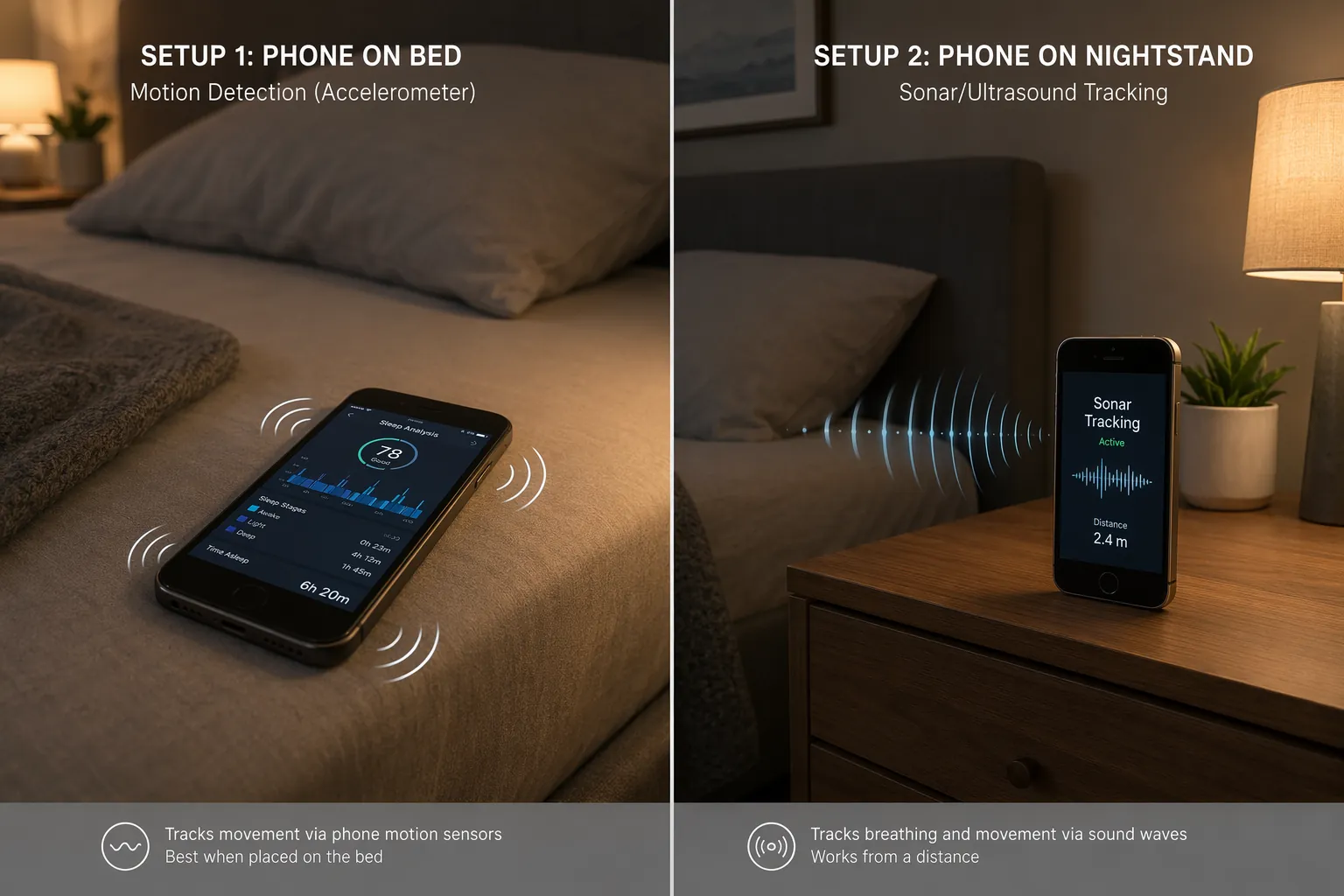
A sensible test is simple: run accelerometer tracking for several nights, then try sonar for several nights only if you have a quiet room and compatible hardware. Keep the mode that best matches your remembered bedtimes, wake-ups, and morning feel. Do not choose sonar just because it seems cleaner on paper.
A Quick Android Setup With Sleep as Android
- Install Sleep as Android on the old phone and give it the permissions it needs for alarms, motion sensing, and Do Not Disturb behavior.
- Set your usual alarm time and choose a smart-alarm window if you want the app to wake you before the final alarm when it estimates lighter sleep.
- Choose accelerometer tracking first if the phone can sit safely on the mattress.
- Place the phone near the edge of the mattress on your side, screen down or dimmed, with the cable routed so it cannot wrap, pull, or sit under bedding.
- In the morning, check sleep start, wake time, awakenings, and regularity trends; treat sleep-stage-looking charts as rough app interpretation, not fact.
Sleep as Android has also published its own smart-alarm research, including a reported 96% success rate, but that figure should be read as manufacturer-reported rather than independent validation.[4] A smart alarm can be pleasant when it catches a lighter patch of sleep. It is not proof that the phone knows your brain state.
What the Old Phone Can Measure Well Enough
The believable wins are sleep/wake timing, rough duration, schedule regularity, and alarm timing. Those are not trivial. If you are trying to see whether you routinely go to sleep later than you think, whether wake-ups cluster around a certain time, or whether weekends are wrecking your rhythm, a reused phone can give you a more consistent log than memory alone.
The scientific support is indirect, and that distinction matters. A 2024 Brigham and Women’s Hospital / Harvard validation study compared consumer wearables with polysomnography and found sleep/wake sensitivity of at least 95%, while sleep-stage agreement was poor, with intraclass correlation coefficients from 0.13 to 0.37 across tested devices.[6] That supports a cautious confidence in accelerometry for sleep-versus-wake detection. It does not directly validate an old phone lying on a mattress against a sleep lab.
That boundary is important. Movement is often enough to estimate whether you were probably asleep or awake. Movement is not enough to tell you, with clinical confidence, whether you were in REM sleep, deep sleep, or a disorder-related breathing event. If an app shows stages from a phone-only setup, read them as a visualization of its model, not as measured sleep architecture.
For deeper accuracy context, the useful comparison is not old phone versus nothing. It is old phone versus the metric you actually need. If you want to know which sleep-tracker metrics are worth trusting, see Sleep Tracking Device Accuracy: Which Metrics You Can Trust. If you are deciding between a ring, watch, headband, or mattress pad, Smart Ring, EEG Headband, Watch, or Mattress Pad is the better next stop.
What It Cannot Give You
A phone on a nightstand cannot measure your heart rate, blood oxygen, skin temperature, respiratory effort, or brain activity. A phone on a mattress still does not become a heart-rate sensor. It can infer from movement and, in some modes, sound reflection. That leaves out the physiological signals people often want when sleep has become frightening, fragmented, or medically complicated.
This is especially important if you are worried about snoring, gasping, oxygen drops, pregnancy-related sleep disruption, perimenopause symptoms, medication effects, or possible sleep apnea. A reused phone can help you document bedtimes and wake patterns before an appointment. It should not be used to rule out a sleep disorder.
Contactless trackers deserve the same skepticism. Some purpose-built devices can do more than a phone because they use dedicated radar, pressure, or other sensors. Phone sonar is a different, more environment-dependent approach. If you are comparing contactless options, start with How Accurate Are Contactless Sleep Trackers? rather than assuming all no-wear tracking works the same way.
Charging and Heat Rules Matter More Than the Perfect Widget
The non-negotiable rule: do not charge the phone under a pillow, blanket, mattress topper, or pile of clothes. Reviewed’s coverage of phone charging risk notes that 62% of adults sleep with phones within arm’s reach and highlights the fire risk created when charging devices are covered and heat is trapped.[7] A reused bedside phone should be visible, ventilated, and boringly placed.
- Use a reliable cable and charger, not a frayed spare from the junk drawer.
- Keep the phone on a hard nightstand or safely on the mattress only when accelerometer tracking requires it.
- Do not trap the charging brick, cable, or phone under bedding.
- Stop using the device if the battery bulges, the screen lifts, or the phone becomes unusually hot.
- Consider a smart plug or charging schedule if the phone will stay docked every night.
A smart plug is not required, but it solves a real old-phone problem: a device that lives plugged in can sit at full charge for long stretches. The MakeUseOf setup used a daily one-hour power-off cycle through a smart plug as a battery-protection habit.[1] That is not a laboratory battery protocol; it is a practical household fix for a device that has been promoted from drawer clutter to bedside equipment.
Privacy: Fewer Apps, Fewer Accounts, Less Data
Sleep data looks harmless until it is combined with routines, health concerns, location patterns, and identifiers. Infosec Institute’s older privacy framework grouped sleep-tracking risks into unlawful surveillance, active intrusion, and data profiling.[8] The app ecosystem has changed since that framework was published, but the categories still fit the decision in front of you: who can see the data, who can access the device, and what profile can be built from your patterns.
Use the smallest setup that works. Do not sign into a shared family account if the sleep log is private. Do not install extra wellness apps just because the phone has space. Review cloud backup, microphone, nearby-device, and location permissions. If the sleep app offers local-only storage or limited sync, consider whether that is enough for your needs.
How to Judge the First Week
Do not grade the setup after one strange night. For the first week, compare the phone’s sleep start and wake time with what you remember, not with what you wish happened. If the phone says you slept through a long awake period you clearly remember, adjust placement or tracking mode. If it splits every small movement into wake time, move the phone slightly farther from your body or lower the app’s sensitivity if the app allows it.
| If you see this | Try this |
|---|---|
| Sleep starts too early | Start tracking manually when you actually intend to sleep, or tighten bedtime automation. |
| Wake time is wrong | Check whether you stay in bed scrolling, reading, or resting after waking. |
| Too many awakenings | Adjust mattress placement and consider whether a partner or pet is affecting the signal. |
| Sonar results jump around | Switch back to accelerometer tracking, especially if a fan, AC, humidifier, or street noise runs overnight. |
| The screen bothers you | Use a darker clock face, grayscale, lower brightness, or screen-off tracking with alarm only. |
The useful pattern is usually boring: bedtime drift, wake-time consistency, long nights versus short nights, and whether your alarm window helps or annoys you. If the setup makes you more anxious about every graph, simplify the display or stop checking the app first thing in the morning.
When the Old Phone Is the Right Tool
Use the old phone if you want a low-cost bedside clock, a dedicated alarm, rough sleep/wake pattern tracking, and one less reason to keep your main phone beside the bed. It is a good fit when the question is, “Am I keeping a regular schedule?” or “Did my sleep window actually change?”
Choose a wearable, a purpose-built contactless monitor, or a clinical evaluation if you need physiological metrics, suspected sleep apnea insight, oxygen or heart-rate trends, or diagnostic-level answers. An old phone can make a competent bedside appliance. It should not be asked to be a sleep lab.
References
- I Repurposed My Old Android Phone as an Always-On Bedside Assistant, MakeUseOf.
- Android phone bedside alarm clock: how to set up, ZDNET.
- How to Use Your Phone as a Bedside Clock, WIRED.
- Sleep tracking, Sleep as Android.
- I Turned My Old Android Phone Into a Sleep Companion, How-To Geek.
- Evaluation of wearable consumer sleep trackers in awake, sleep, and sleep stage classification, Brigham and Women’s Hospital / Harvard Medical School, 2024.
- Why you shouldn’t sleep with your phone or device near your bed, Reviewed.
- Privacy risks of sleep tracking devices, Infosec Institute, 2014.
Read the full guide: How to Sleep With a Sinus Infection Tonight