
Mechanism explainer
Every Garmin Cirqa Sleep Tracking Feature Explained
A detailed walkthrough of every Garmin Cirqa sleep tracking feature — how sleep stages, sleep score, sleep coach, HRV, and more technically work, and what the data actually means for improving your rest.
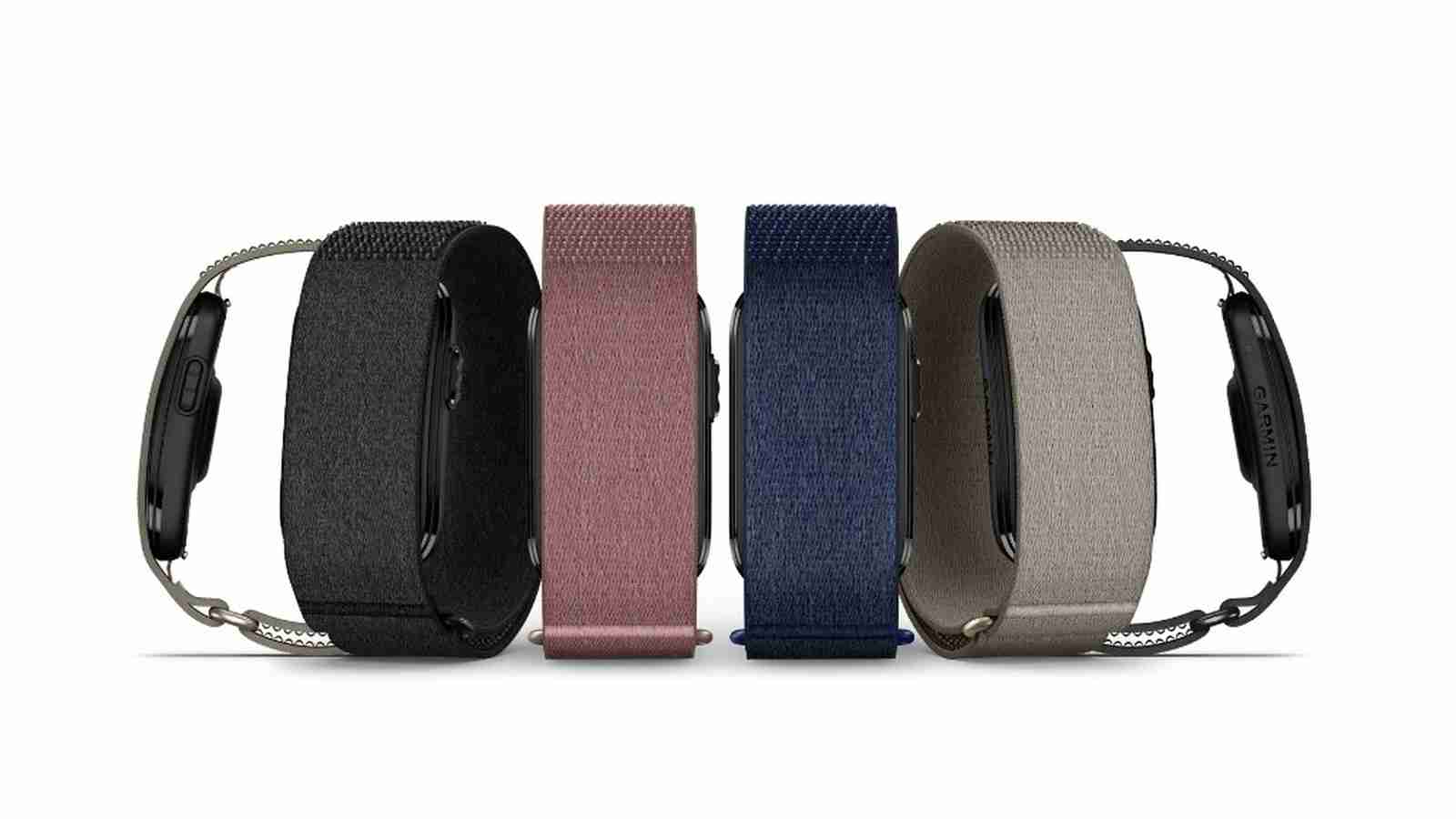
Garmin Cirqa’s sleep pitch is unusually compact: the company has put its sleep-and-recovery stack into a $199 screenless fabric band that weighs 20g, runs up to 10 days on a charge, and does not require Garmin Connect+ to unlock the sleep features discussed here.[1] That matters because the device is not trying to be a cheaper smartwatch. It is trying to make the overnight part of Garmin’s ecosystem easier to wear and easier to ignore.
The timing also matters. Cirqa launched on July 21, 2026, so there is not yet independent, Cirqa-specific sleep accuracy testing to lean on.[1] The safest way to read its Garmin Cirqa sleep tracking features is in layers: official Garmin materials can tell us what the band is designed to do, Garmin’s technical explanations can describe the models behind those features, early hands-on reporting can confirm some real-world behavior, and older validation work can frame reasonable caution without pretending to certify this exact product.
The Cirqa Sleep Feature Map
Cirqa’s sleep system starts with overnight sensing, then turns that stream into sleep classifications, recovery metrics, and coaching. The useful question is not simply whether the feature exists. It is whether the feature is a measurement, an estimate, a score, or advice.
| Feature | What Cirqa Provides | How To Read It |
|---|---|---|
| Sleep detection and stages | Automatic sleep tracking with light, deep, and REM stages | Useful for patterns; not a clinical sleep-stage record |
| Sleep score | A 0-100 Firstbeat Analytics score | A summary built from duration, quality, and overnight recovery |
| HRV status | Overnight HRV measured during sleep, with a baseline after 3 weeks | More meaningful as a trend than as a one-night verdict |
| Pulse Ox | Automatic overnight blood oxygen readings | Contextual signal, not a diagnosis |
| Respiration rate | Breathing-rate tracking during sleep | Best used for changes from personal norm |
| Skin temperature | Temperature tracking, mainly tied to cycle tracking | A supporting signal, not a standalone sleep explanation |
| Body Battery | Energy estimate that can recharge overnight | A recovery model, not a literal battery |
| Sleep Coach | Personalized sleep-need guidance that updates through the day | Advice built from multiple inputs, including sleep history and naps |
| Sleep alignment | Comparison of sleep timing against Garmin’s estimate of your internal body clock | A timing signal, separate from whether the sleep was deep or restful |
| Nap detection | Automatic nap logging that feeds Sleep Coach and Body Battery | No sleep-stage breakdown for naps |
| Smart wake | Vibration alarm during lighter sleep within a 30-minute window | A gentler wake attempt, not a guarantee |
| Training Readiness | Readiness estimate using sleep, HRV, recovery time, and acute load | Most relevant if you also train with Garmin data |
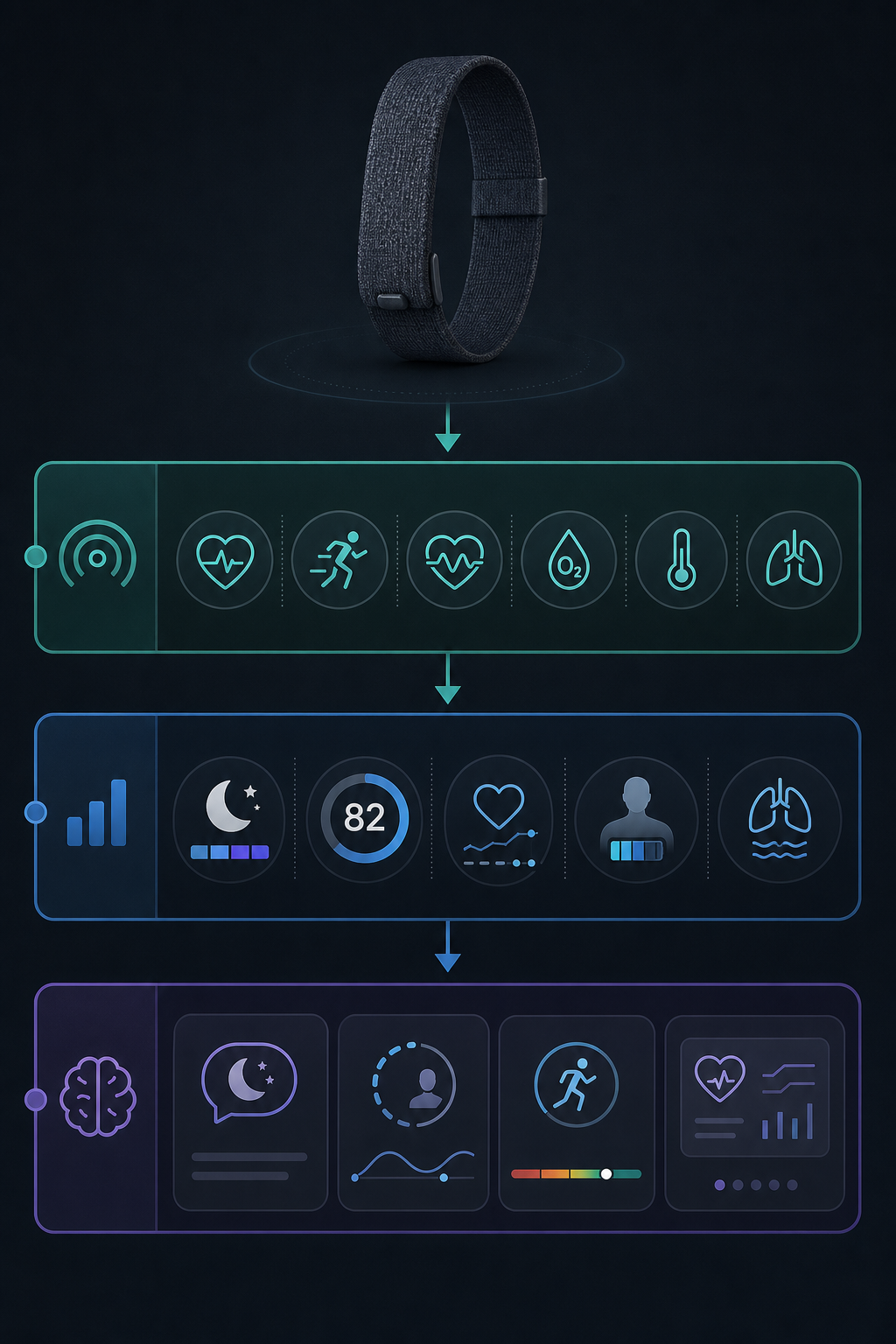
What Cirqa Senses Overnight
Garmin says Cirqa uses its Elevate Gen4 optical heart-rate sensor along with motion sensing to support the sleep and recovery features in the band.[1] In practical terms, the band is watching for the body signals consumer wearables can reasonably collect from the wrist or arm: movement, heart-rate behavior, heart-rate variability, blood oxygen, respiration patterns, and temperature-related signals.
That sensor layer is why fit matters. A loose band can make optical heart-rate data noisier; a band that annoys the wrist can make sleep itself worse. Cirqa’s fabric design and 20g weight are not just aesthetic details. They are part of the sleep product. Garmin also offers a $59 optional arm-band accessory, which is particularly relevant for side-sleepers who dislike pressure at the wrist.[1]
Early hands-on reporting from DC Rainmaker describes Cirqa as a screenless device controlled through the Garmin Connect app and notes that his piece was not a full in-depth review.[2] That distinction is important. It can confirm what the device is like to use at launch, but it cannot yet answer the deeper sleep question: whether Cirqa’s specific hardware-and-firmware combination classifies your sleep accurately night after night.
Sleep Stages: The Foundation, And The First Place To Be Careful
Cirqa reports sleep stages as light, deep, and REM sleep.[3] Garmin’s explanation of its sleep-stage tracking says compatible devices use movement, heart rate, and heart-rate variability to classify sleep after the device has detected that you are asleep.[4] The broad idea is familiar across consumer trackers: stillness helps identify sleep, heart-rate patterns help characterize recovery, and HRV adds information about autonomic nervous system behavior.
The classification is still an estimate. Garmin’s own 2019 sleep study reported 95.8% sensitivity for detecting sleep, 73.4% specificity for detecting wake, and 69.7% overall sleep-stage accuracy in a sample of 55 people using older Garmin hardware.[5] Those numbers are useful because they show the shape of the problem: detecting sleep is easier than separating light, deep, and REM sleep.
That older study should not be stretched too far. It was not a Cirqa study, it used older hardware, and the sample was small. Garmin may have improved algorithms since then, but the same level of public validation has not yet been published for Cirqa. If your chart says you had less REM than usual, treat that as a prompt to look at the surrounding night — timing, alcohol, illness, stress, late exercise, wake-ups — rather than as a lab-grade measurement of REM minutes.
A broader 2026 Terra Research benchmark ranked Garmin first for sleep-data consistency across roughly 4,956 users, but that benchmark covered Garmin devices broadly rather than Cirqa specifically.[6] Consistency is valuable because trends need stable measurement. It is not the same thing as proving that every stage label is physiologically correct.
Sleep Score Turns A Messy Night Into One Number
Garmin’s sleep score is a 0-100 score powered by Firstbeat Analytics.[4] Garmin describes it as a way to summarize the quality of a night using sleep duration, sleep quality, and overnight recovery signals.[4] On Cirqa, that number is likely to be the metric many people check first, because it is simpler than a stage chart and easier to compare across weeks.
The danger is that simplicity can make the score feel more exact than it is. A 77 and an 82 are not two laboratory specimens. They are model outputs from wearable signals. The better use is directional: Did the score recover after you moved bedtime earlier for several nights? Does it fall after late meals or travel? Does it agree with how you feel often enough to be useful?
When the score does not match your morning, the mismatch is not automatically a failure. Wearables may miss quiet wakefulness, underestimate disruption, or overvalue a long but unrestful night. The score is most helpful when it leads you back into the inputs: duration, wake time, HRV, respiration, Pulse Ox, and the timing of sleep.
HRV Status Needs A Baseline Before It Deserves Your Attention
Cirqa includes HRV status, and Garmin measures HRV during sleep rather than asking you to take a manual reading during the day.[1] Garmin requires about 3 weeks of overnight data before HRV status has a personal baseline, because HRV varies widely from person to person.[1]
That baseline requirement is one of the more responsible parts of the system. Without it, HRV is easy to misread. A number that is low for one person may be ordinary for another. Once Cirqa has enough nights, HRV status becomes more useful as an early warning light: accumulated fatigue, illness, heavy training, poor sleep, stress, or alcohol may push it away from your norm.
The same caution applies to all HRV-derived advice. If HRV status contributes to Sleep Coach, Body Battery, or Training Readiness, then noise in overnight HRV can ripple into those higher-level outputs. That does not make the features useless. It means the interpretation layer should be treated as guidance built on estimates, not as a medical clearance system.
Pulse Ox, Respiration, And Temperature Are Context Signals
Cirqa supports automatic overnight Pulse Ox readings, respiration-rate tracking, and skin-temperature-related tracking.[1] These are the kinds of signals that can make a sleep dashboard feel impressively complete, but they should not all be treated the same way.
Pulse Ox estimates blood oxygen saturation at night. It can add context when a night looks unusual, but Garmin’s consumer wellness features are not a substitute for medical testing. Respiration rate is similarly useful when it changes from your own baseline. A single breathing-rate value matters less than whether your sleeping respiratory pattern is noticeably different from your normal range.
Skin temperature on Cirqa is primarily relevant to Garmin’s cycle-tracking features rather than a complete explanation of sleep quality.[1] It may still help the broader health picture, especially when viewed alongside illness, menstrual-cycle context, and recovery trends, but it is not a standalone answer to “why did I sleep badly?”
Sleep Coach Is Where The Dashboard Starts Giving Advice
Garmin’s Sleep Coach estimates how much sleep you may need and updates that recommendation throughout the day.[7] Garmin’s blog explanation describes five personalization factors: age, activity history, sleep history, naps, and HRV status.[7] The recommendation can move in 10-minute increments within a 7- to 9-hour range.[7]
This is more useful than a generic “get eight hours” reminder because it reacts to your recent behavior. A poor night, a heavy activity load, or an unusually low HRV status can increase suggested sleep need. A nap can reduce some of the pressure. The feature is not telling you exactly how much sleep your brain biologically requires; it is estimating a target from Garmin’s model.
There is one documentation wrinkle worth flagging. Garmin’s blog describes five Sleep Coach factors, while Garmin’s technology language also refers to six key factors, apparently adding circadian rhythm or sleep alignment to the coaching picture.[7] For now, treat the exact factor count as unsettled. For a buyer, the practical takeaway is simpler: Sleep Coach is personalized advice, and its recommendation depends on several other Garmin estimates.
Sleep Alignment Looks At Timing, Not Just Amount
Sleep alignment compares when you actually sleep with Garmin’s estimate of your internal body clock.[1] This is a different question from sleep score. A person can get a decent duration at a biologically awkward time, or keep a stable schedule with a short night. Cirqa is meant to surface that timing mismatch rather than only counting hours.
For someone who wakes up tired despite spending enough time in bed, this may be one of the more useful features. It moves the conversation from “try harder to sleep longer” to “look at when sleep is happening.” Shift work, inconsistent weekends, late light exposure, and travel can all make timing harder to interpret, so the feature should be read as a pattern tool rather than a perfect circadian measurement.
Naps Feed The System, But They Stay Simpler Than Overnight Sleep
Cirqa can automatically detect naps, and Garmin says naps can affect Sleep Coach and Body Battery.[1][8] That is the right place for nap data to live. A nap changes recovery context; it should not be treated as a miniature overnight sleep report.
Garmin does not provide a sleep-stage breakdown for naps, explaining that most naps are light sleep.[8] Garmin’s nap guidance generally points toward short naps of about 10 to 20 minutes and less than 30 minutes.[8] On Cirqa, the practical value is that a nap is no longer invisible to the day’s recovery model.
Smart Wake Tries To Avoid The Worst Moment To Wake You
Cirqa’s smart wake alarm uses vibration and aims to wake you during a lighter sleep phase within a 30-minute window before your set alarm time.[3] If you set an alarm for 7:00, the device can vibrate earlier inside that window if Garmin’s sleep detection suggests you are in a lighter phase. The side button can be used for snooze.[3]
This is a comfort feature more than a recovery feature. It may make waking feel less abrupt, especially for someone sharing a bed or avoiding phone alarms. It cannot guarantee that you wake refreshed, because that depends on sleep debt, timing, illness, stress, and whether the stage estimate is correct in the moment.
Body Battery And Training Readiness Are Recovery Models, Not Sleep Features Alone
Body Battery is Garmin’s energy estimate, and sleep can recharge it overnight.[1] It is one of the clearest examples of Garmin turning sleep data into a daytime interpretation. A long, restful night can raise the estimate; stress, activity, and poor recovery can hold it down.
Training Readiness goes further. Garmin says it uses sleep, HRV status, recovery time, and acute load to estimate how ready you are to train.[1] For a runner or cyclist already using Garmin, Cirqa can make sense as the overnight sensor that keeps feeding that ecosystem without wearing a watch to bed. For someone who does not track workouts, Training Readiness may be less central than Sleep Coach or Body Battery.
DC Rainmaker’s launch hands-on noted bugs involving auto activity detection and Training Readiness, while also making clear the article was not a full review.[2] Those bugs may or may not affect sleep tracking specifically. They do, however, argue for patience with any day-one readiness score. The more a metric combines inputs, the more ways it can be nudged by incomplete or incorrect context.
Health Status Pulls The Night Into A Broader View
Garmin positions Cirqa as part of a broader health-monitoring setup, including a Health Status dashboard.[1] That matters because many sleep complaints are not solved by staring at a sleep-stage chart. A strange night may make more sense when seen beside resting heart rate, HRV status, respiration, Pulse Ox, temperature context, stress, and recent activity.
The dashboard can help with pattern recognition: several nights of lower HRV, higher respiration, and worse sleep may be more meaningful than one ugly sleep score. It still should not be used as a diagnostic panel. Cirqa can help you notice that something changed; it cannot tell you with clinical certainty why it changed.
What No Subscription Changes
Garmin Connect+ costs $6.99 per month, but the sleep features covered here are not locked behind that subscription.[1] For a sleep-focused buyer, that is not a footnote. A tracker that feels affordable at checkout can become less appealing if the useful recovery metrics sit behind a monthly fee. Cirqa’s value proposition is cleaner: pay for the band, wear it at night, and use Garmin Connect for the sleep-and-recovery stack.
The screenless design changes the experience in the same direction. There is no bright watch face, no temptation to check notifications from bed, and no smartwatch status signal wrapped around the sleep discussion. The tradeoff is that Cirqa depends on the phone app for review and configuration. If you want on-device charts, workout screens, maps, or smartwatch functions, this is the wrong form factor. If you mainly want Garmin’s overnight analytics without wearing a full watch, the restraint is the point.
What To Trust Tonight, And What To Wait For
If you put Cirqa on tonight, you should expect Garmin to generate a full sleep-and-recovery picture: sleep duration, light/deep/REM estimates, sleep score, HRV status once a baseline exists, Pulse Ox, respiration, skin-temperature context, Body Battery, Sleep Coach, sleep alignment, nap-aware recovery updates, smart wake, and Training Readiness if your broader Garmin data supports it.[1][3]
The strongest use is trend interpretation. Cirqa looks well suited for someone who wants a low-friction way to understand why mornings feel different, whether schedule changes are helping, and how sleep interacts with recovery. It is especially attractive if you already like Garmin’s ecosystem but do not want to sleep in a smartwatch or pay a subscription for core sleep metrics.
The line to hold is accuracy. Cirqa offers sleep stages; it has not yet been independently validated for sleep-stage accuracy as Cirqa-specific hardware. It offers Pulse Ox and recovery guidance; it is not a medical device. It offers Training Readiness; early hands-on reporting already suggests some launch software behavior needs watching. The device can be useful without being definitive.
References
- Meet Cirqa Smart Band, Garmin, July 21, 2026.
- Garmin Cirqa: Everything You Need To Know, DC Rainmaker, July 2026.
- Cirqa Owner's Manual — Sleep Tracking, Garmin.
- How Garmin watches track your sleep, Garmin Blog, January 2025.
- Garmin Health Announces Sleep Study Results, Garmin Blog, 2019.
- Sleep Tracking Accuracy, Terra Research, 2026.
- Five factors sleep coach uses, Garmin Blog, November 2024.
- Does Your Garmin Smartwatch Track Naps?, Garmin Blog, November 2024.
Supports these guides
Spot an error or have clinical feedback?
Because this article covers clinical, medication, or safety information, we use a moderated correction channel instead of open public comments. Let us know if something about “Every Garmin Cirqa Sleep Tracking Feature Explained” needs a closer look.
Send feedback on this article