
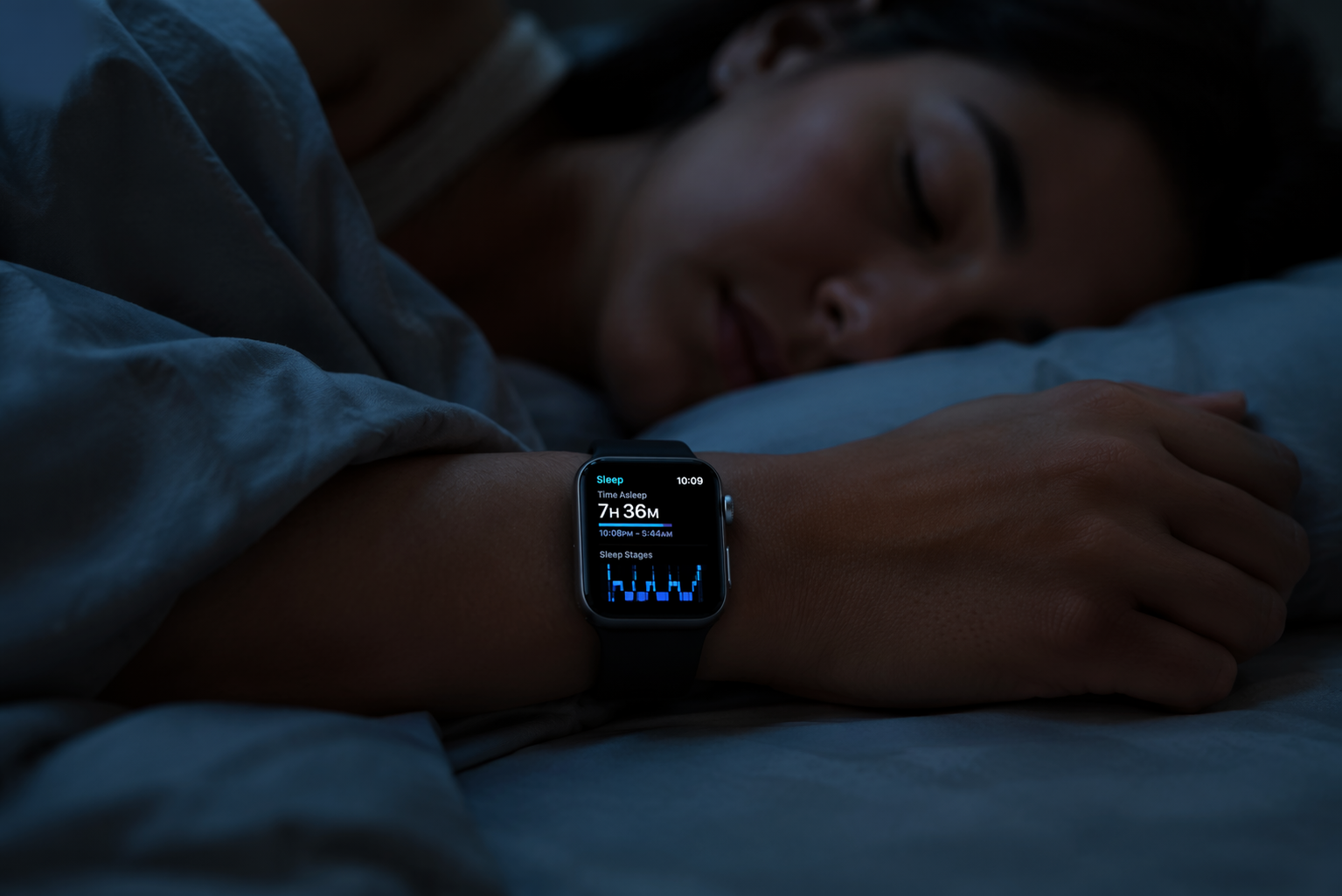
To track sleep on Apple Watch and get reliable data, you need more than wearing the watch overnight. The watch must be assigned to sleep tracking, Sleep Schedule must be enabled in the Health app, Sleep Focus should run during your sleep window, the band has to stay snug enough for sensors to maintain contact, and the battery should be at least 30% before bed. Apple’s own setup flow makes these requirements sound simple, but missing one of them is enough to produce the familiar failures: no sleep data, no sleep stages, a night cut short, or a chart that looks obviously wrong. [1][2]
That does not make Apple Watch a clinical sleep lab. It is most useful for nightly sleep duration, sleep-wake patterns, and stage trends over time. If the question is whether it can be practical day to day, the answer is yes. If the question is whether every stage label deserves medical-level confidence, the answer is narrower.
The setup that has to be right before sleep tracking works
Start on the iPhone, not the watch. Open the Health app, go to Sleep, and make sure Sleep Schedule is turned on. This is the setting that is easiest to miss because the watch can still show sleep-related screens and bedtime reminders without actually recording the night the way users expect. Apple’s setup instructions place Sleep Schedule at the center of the sleep flow, and support discussions around missing sleep data repeatedly point back to this toggle. [1]
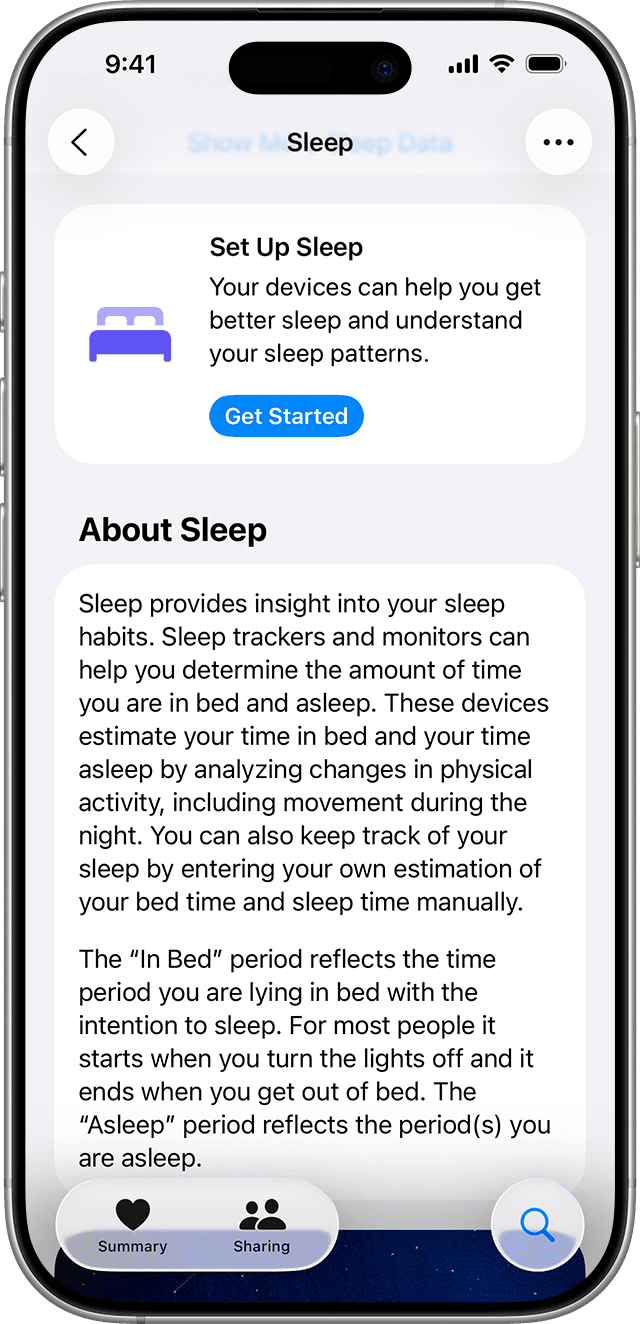
After that, confirm the watch itself is selected for sleep tracking. In the Watch app on iPhone, open Sleep and enable tracking with Apple Watch. Then set a bedtime and wake-up schedule that matches when you actually sleep. The schedule does not need to be perfect forever, but it gives the watch a defined window in which sleep detection, Sleep Focus, and battery reminders can work together. [2]
| Required setup item | Where to check | What goes wrong when it is missed |
|---|---|---|
| Sleep Schedule is on | Health app → Sleep | No sleep data or incomplete sleep history |
| Track Sleep with Apple Watch is on | Watch app → Sleep | The iPhone may hold the schedule, but the watch may not record overnight data |
| Sleep Focus runs during the sleep window | Health app or Focus settings | More interruptions, avoidable display activity, and more battery drain |
| Battery is at least 30% before bed | Watch battery level before sleep | Tracking may stop overnight if the battery dies |
| Band is snug, not loose | Physical fit on the wrist | Movement and poor sensor contact can distort awake time and stages |
The 30% battery threshold is not a casual suggestion. Apple states that the watch needs at least 30% charge before bed for sleep tracking, and its Charging Reminders feature is built around warning you before Wind Down if the battery is too low. [2]
If Apple Watch recorded nothing
When there is no sleep data at all, check the settings before assuming the sensor failed. The usual order is simple: Sleep Schedule in Health, tracking with Apple Watch in the Watch app, then battery level. A watch with a working heart-rate sensor and motion sensor can still produce no sleep record if it was never placed into the correct sleep-tracking configuration.
- Open Health → Browse → Sleep and confirm Sleep Schedule is on.
- Open the Watch app → Sleep and confirm Track Sleep with Apple Watch is on.
- Check whether the watch had at least 30% battery at bedtime.
- Confirm the watch was worn for the main sleep period, not placed on the charger overnight.
- Restart the iPhone and Apple Watch if all settings are correct but the night still does not appear.
A forced restart is especially relevant after a watchOS update. User reports around watchOS 26 and earlier updates describe temporary sleep-tracking failures that resolve after restarting the watch by holding the Digital Crown and side button for about 10 seconds. That is a troubleshooting pattern from support discussions, not controlled evidence about update reliability, so it should be treated as a practical fix rather than proof of a broad software defect. [5]
If sleep stages are missing
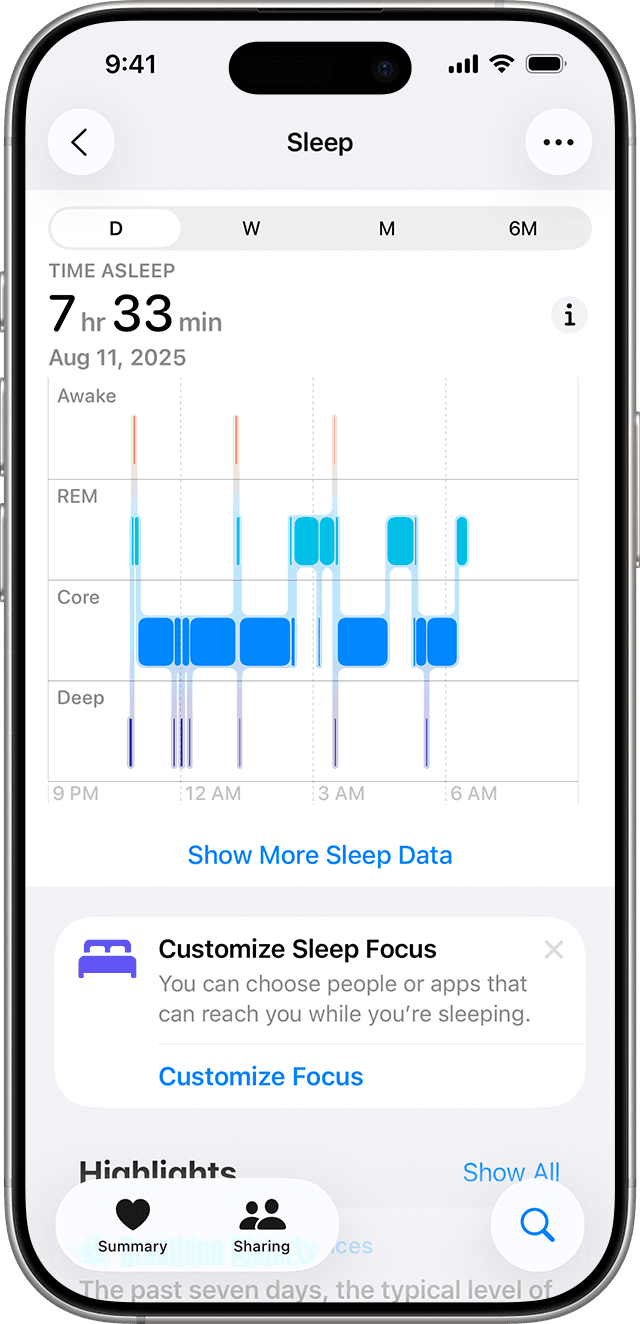
Apple Watch can show Awake, REM, Core, and Deep sleep in the Health app when the night is recorded with the required sleep setup. If you only see time asleep, or if stages appear on some nights and not others, the first suspect is not the stage algorithm. It is usually the conditions around the recording: the watch was not in the expected sleep mode, the battery ran out, the band shifted, or the sleep period was too fragmented to classify cleanly.
Band fit is the most physical part of the problem. A loose band lets the watch move independently of the wrist, which can add stray motion and weaken sensor contact. Sleep Foundation’s Apple Watch setup guidance specifically notes that a loose fit can interfere with movement readings and contribute to less reliable sleep data. [3]
The right fit is snug enough that the back of the watch stays against the skin when you roll over, but not so tight that it leaves deep marks or wakes you. If the watch slides toward the hand, rotates around the wrist, or lifts off the skin during the night, the data problem may be mechanical rather than digital.
If the battery dies overnight
Battery management is the trade-off that makes Apple Watch different from passive sleep bands. A dedicated tracker can often disappear for days. Apple Watch is also a daytime smartwatch, so the overnight routine matters. The practical solution is not complicated: charge before bed or during a predictable daily gap, and turn on Charging Reminders in the Watch app’s Sleep settings. Apple’s sleep guide describes the reminder as a prompt before Wind Down when the battery is too low. [2]
Sleep Focus also helps because it changes watch behavior during the night. Consumer Reports’ Apple Watch sleep-tracking setup analysis notes that Sleep Focus disables the always-on display and can save about 15% battery overnight compared with standard operation, though the exact savings depend on the watch model and how it is configured. [4]
For most users, the workable routine is a short evening charge before bed or a morning charge while showering and getting ready. The watch does not need to start the night full; it needs enough reserve to survive the sleep window with sensors running.
If the data looks wrong
Bad-looking sleep data usually falls into two categories. The first is a recording problem: the watch says you were awake for long stretches when you were not, cuts off the night early, or misses a section entirely. For that, return to fit, battery, Sleep Focus, and schedule. The second is an interpretation problem: the chart is complete, but the stage mix does not match how you feel.
Stage estimates should be read as trends, not as a verdict on one night. A single low Deep sleep reading is less useful than a repeated pattern across weeks, especially when the schedule, alcohol intake, illness, travel, or stress changed. Readers who want the broader evidence behind wearable sleep accuracy can use this guide to fitness tracker sleep accuracy before treating stage labels as precise measurements.
This distinction matters because Apple Watch can be reliable enough to show that bedtime has drifted later, total sleep has dropped, or awakenings have become more frequent, while still being imperfect at separating every minute of REM, Core, and Deep sleep. The user action should match the confidence of the metric. Use duration and regularity to adjust routines. Use stage data more cautiously, as a pattern to watch rather than a nightly scorecard.
What watchOS 26 adds, and what it does not settle
In watchOS 26, Apple’s sleep experience includes a Sleep Score on a 1–100 scale. The score is convenient because it compresses sleep duration, timing, interruptions, and related sleep signals into a single number, but that convenience is also the reason to be careful. A score can help you notice direction. It should not replace the underlying chart or how you feel during the day.
For a closer explanation of how these scores are typically built and why they differ across companies, see this sleep score explainer. The useful habit is to look past the single number when the night matters: check total sleep, bedtime consistency, awakenings, and whether the recording conditions were clean.
When a third-party sleep app makes sense
Apple’s native sleep tracking is enough for the central job: tracking the main overnight sleep period and showing duration and stage trends. Third-party apps are worth considering when the missing feature is specific. AutoSleep, for example, is commonly used for nap detection and sleep debt-style calculations, areas where Apple’s native experience is less complete. Empirical Health’s discussion of deep sleep percentage and Summit Health Benefits’ 2026 app comparison both frame third-party tools as gap-fillers rather than proof that Apple’s native tracking is unusable. [6][7]
The trade-off is that more numbers do not automatically mean better judgment. If the issue is that Sleep Schedule is off, the band is loose, or the battery dies at 4 a.m., installing another app will not fix the underlying recording conditions. Add an app when you know what native tracking is missing, not when the basic setup is still uncertain.
A practical troubleshooting order
When Apple Watch sleep tracking fails, troubleshoot from the most likely and least expensive causes outward. This avoids replacing hardware, deleting apps, or resetting the watch before the basic configuration is known to be correct.
- Turn on Sleep Schedule in Health.
- Turn on Track Sleep with Apple Watch in the Watch app.
- Use Sleep Focus during the intended sleep window.
- Start the night with at least 30% battery and enable Charging Reminders.
- Wear the band snugly enough that the sensors stay against the wrist.
- Force restart the watch after an update if settings are correct but tracking suddenly stops.
- Only then consider unpairing, reinstalling apps, or contacting Apple Support.
For someone choosing a device, the same logic applies. Apple Watch is practical if you are willing to manage daily charging and want sleep tracking inside a broader smartwatch. A dedicated device may be better if the priority is long battery life and lower-friction overnight wear. For a broader buying comparison, see how to choose a sleep tracker.
Most Apple Watch sleep-tracking failures are not mysterious. They come from a disabled schedule, a missing watch setting, an inactive Sleep Focus, low battery, or poor wrist contact. Once those are controlled, the watch is a useful overnight tracker for duration and trends. The boundary is just as important: it is a consumer wearable estimating sleep from sensors on the wrist, so its cleanest use is pattern recognition, not clinical certainty.
References
- Track your sleep with Apple Watch and use Sleep on iPhone, Apple Support
- Track your sleep with Apple Watch, Apple Watch User Guide
- How to Track Your Sleep on Apple Watch, Sleep Foundation
- How to Use Your Apple Watch for Sleep Tracking, Consumer Reports
- Apple Support Community thread 256146448, Apple Support Community
- Deep Sleep Percent, Empirical Health
- Best Sleep Tracking Apps vs Apple Watch 2026, Summit Health Benefits
Comments
Join the discussion with an anonymous comment.