
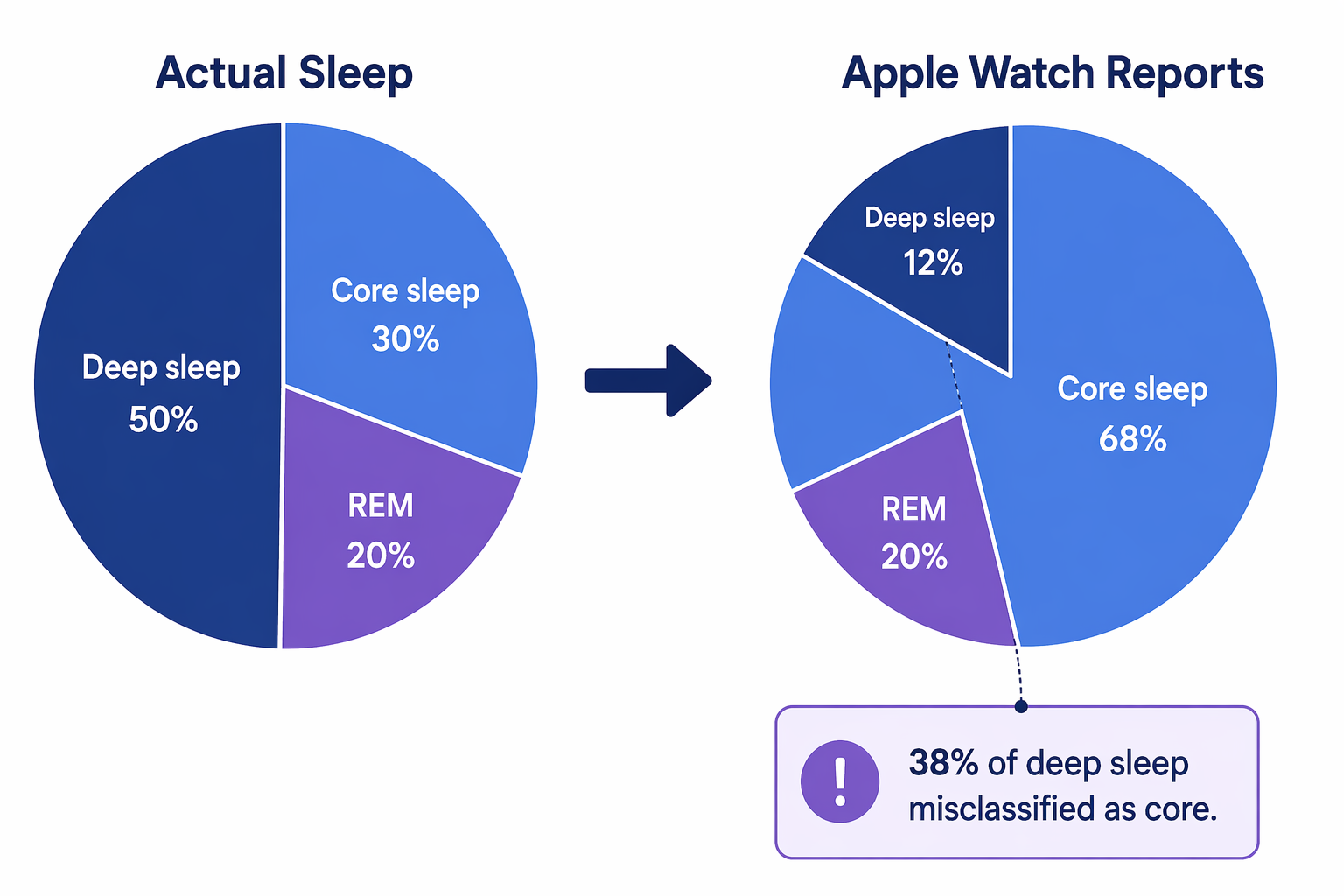
If your Apple Watch says you got 37 minutes of deep sleep, that number is not proof that your body failed overnight. Apple Watch sleep staging tends to undercount deep sleep: in validation work, it correctly identified 62% of actual deep sleep epochs and misclassified the remaining 38% as core sleep, so your real deep sleep may be higher than the bar you see in the Health app.[1][2]
That matters because many users compare their morning number to a vague idea that deep sleep should be much higher. In opt-in Apple Watch data analyzed by Empirical Health, the average deep sleep amount was 49 minutes per night, or about 13% of total sleep time; the top 10% of users reached at least 18%, while the bottom 10% were at 7% or below.[3][4] Those benchmarks are not a national sleep census, and the user base may skew health-conscious, but they are useful for one practical purpose: they show that 30 to 50 minutes on the watch is not automatically strange.
Why Apple Watch Deep Sleep Often Looks Low
The Apple Watch does not measure sleep stages the way a sleep lab does. Polysomnography uses brain waves, eye movement, and muscle activity. The watch estimates stages from wrist movement and heart-rate patterns, which are meaningful signals, but they are indirect ones.[1][2]
Deep sleep is especially easy to misread from the wrist because the watch is trying to infer a brain-based state without measuring the brain directly. When the algorithm is uncertain, the evidence so far suggests it is more likely to place that time into core sleep than to label it deep sleep.[1][2] That is why a low deep-sleep bar can be a measurement artifact, not a personal verdict.
The accuracy findings also need a timestamp. The published validation data applies to Apple Watch algorithms studied before the October 2025 watchOS 26 update; as of July 2026, the newer sleep-staging approach has not yet had the same kind of independent peer-reviewed validation. The sensible reading is not that the newer version is wrong. It is that users should be cautious about treating any current stage number as clinically precise until independent evidence catches up.
For readers who want the study-by-study version, the deeper evidence belongs in an accuracy review, not in a morning interpretation spiral. See how accurate Apple Watch sleep tracking is for that comparison.
What Core, Deep, and REM Mean on the Watch
The most common misreading is to treat core sleep as the bad category. It is not. On Apple Watch, core sleep is a broad category that roughly covers lighter non-REM sleep, including N1 and N2-like sleep. N2 is a large, normal part of the night, not a consolation prize after your body failed to reach deep sleep.
| Apple Watch stage | How to read it |
|---|---|
| Core | A broad light-to-stable sleep category. It often absorbs time the watch cannot confidently classify as deep or REM. |
| Deep | The stage many users worry about most, but Apple Watch tends to under-detect it compared with lab-based sleep staging. |
| REM | A dreaming-associated stage that should be interpreted as a proportion and pattern, not as a single-night performance score. |
| Awake | Brief awakenings are common; repeated long awake periods matter more than a few small interruptions. |
Deep sleep supports physical restoration, immune function, and other recovery processes, so it makes sense that people care about it. The mistake is assuming the watch’s exact minute count is the same thing as your physiology. If your Apple Watch repeatedly shows very low deep sleep, the first interpretation should be “this device may be conservative,” not “my sleep is broken.” For a more focused explanation of that specific number, see why Apple Watch deep sleep can look low.
REM sleep is a little easier to place in context. In the Empirical Health Apple Watch data, average REM sleep was about 20% of total sleep time, and 80% of users fell between 15% and 25%.[3] A single night below that range is not remarkable by itself. A sustained change that appears alongside shorter sleep, more awakenings, alcohol use, medication changes, or daytime symptoms deserves more attention.
A Better Benchmark Than “Did I Get Enough Deep Sleep?”
Start with total sleep time, then look at stages. Apple Watch users in the Empirical Health dataset averaged about 6.5 hours of total sleep per night.[3] That number is useful because it explains many stage complaints before the stage chart does: if the night is short, there is simply less time available for every stage.
- If total sleep time is consistently short, fix the sleep opportunity before interpreting stage percentages.
- If total sleep time is steady but deep sleep suddenly drops for many nights, look for schedule, alcohol, caffeine, stress, illness, or medication changes.
- If REM sleep is persistently low, read it alongside awakenings, total sleep, and how you feel during the day.
- If core sleep is high, do not treat that alone as a failure; some of it may be normal N2 sleep or deep sleep the watch did not identify.
The point is not to ignore the chart. It is to put the chart in the right order. A person sleeping 5 hours and 40 minutes most nights has a clearer problem than a person sleeping 7.5 hours who dislikes seeing 42 minutes of deep sleep.
Use 2 to 4 Weeks, Not One Morning
One night of Apple Watch sleep data is usually too noisy to act on. A week is better. Two to four weeks is where patterns start to become more useful, especially if your bedtime, wake time, alcohol timing, caffeine timing, workouts, or stress level changed during that window.
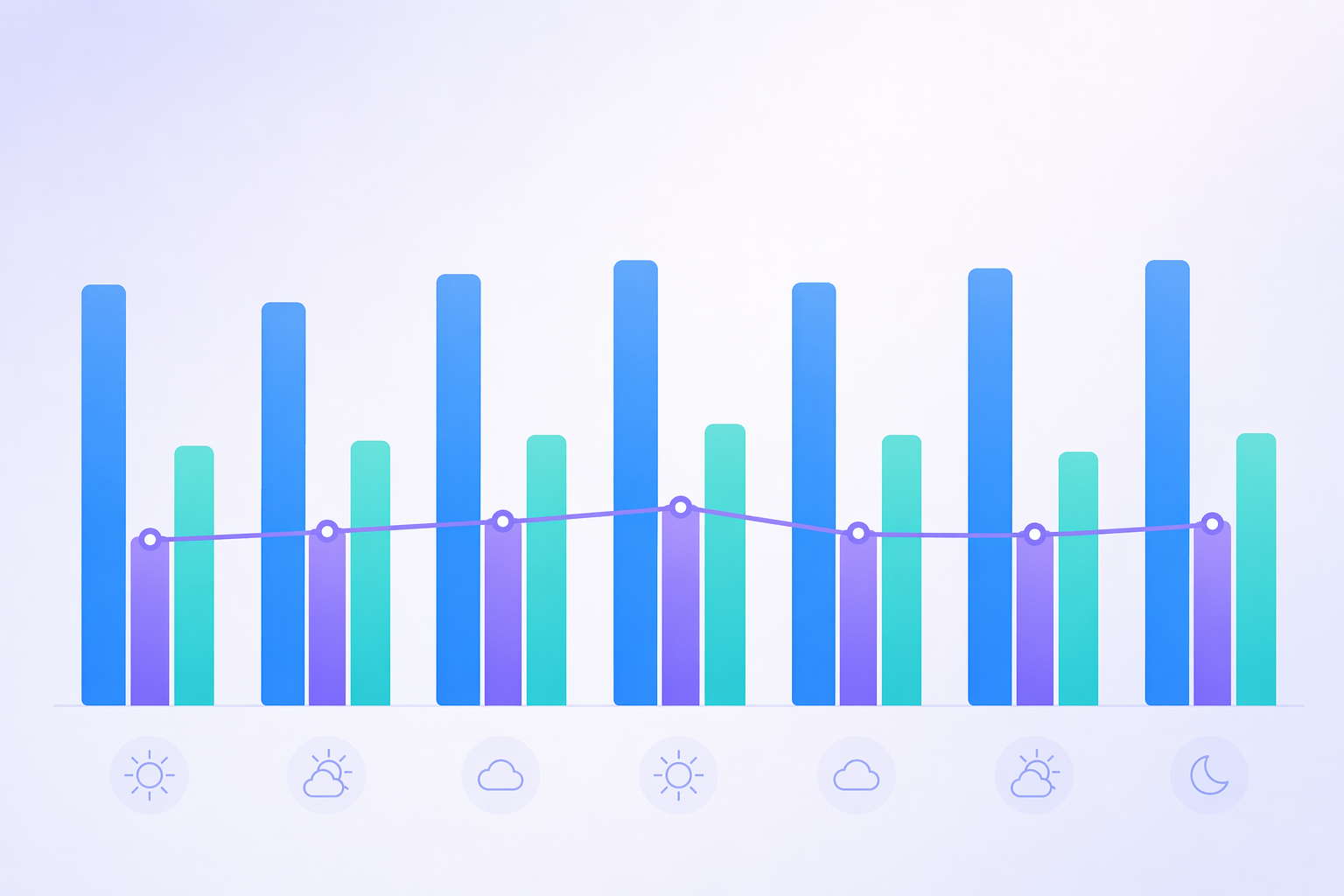
A useful review sounds more like this: “For the last three weeks, my total sleep fell by about an hour on weekdays, and my awakenings increased,” or “When I drink close to bedtime, REM looks lower and I feel worse.” It is less useful to build a theory around Tuesday’s 28 minutes of deep sleep when Monday and Wednesday looked different.
This is also where Apple’s lack of a native sleep score may be a quiet advantage. A single score can feel official even when it is built from estimates. The downside is that Apple’s Health app can make trend reading less obvious, which is why some users try third-party tools for visualization. If that is the issue, compare options in Apple Watch sleep tracking apps rather than chasing one cleaner-looking number.
If checking the chart changes your mood before you have even noticed how you feel, that is a different kind of data problem. Single-night fixation can turn sleep tracking into orthosomnia: the pursuit of perfect sleep numbers at the expense of actual rest. More on that pattern is covered in orthosomnia and the Apple Watch.
When the Data Is Worth Acting On
Low deep sleep by itself is usually the weakest reason to worry. Patterns that include symptoms, short sleep, breathing flags, or major variability deserve more respect.
- Persistent short total sleep: If your sleep window is regularly too short, the stage breakdown is secondary.
- Breathing disturbance notifications or loud snoring: These do not diagnose sleep apnea, but they are worth taking seriously, especially with daytime sleepiness.
- Large night-to-night variability: Big swings may reflect irregular schedules, alcohol, stress, illness, or measurement inconsistency.
- A sustained change from your own baseline: Your usual pattern is often more useful than comparison with strangers.
- Symptoms that disagree with the chart: Feeling sleepy, foggy, or unrested matters even if the app says the night looked fine.
Sleep apnea can reduce restorative sleep and fragment the night, and it is one of the more important possibilities when low deep or REM sleep appears with snoring, witnessed pauses, morning headaches, or daytime sleepiness. That does not mean an Apple Watch stage chart can screen you on its own. If that cluster sounds familiar, use a symptom guide such as snoring vs. sleep apnea symptoms and consider discussing it with a clinician.
Other common contributors are less dramatic but still real: alcohol or caffeine within 4 hours of bedtime, some medications, stress, aging, and irregular sleep schedules. The watch cannot reliably separate those causes for you. It can only show whether your nights look different when those conditions change.
If Your Apple Watch Sleep Data Looks Wrong
Before interpreting trends, make sure the watch is collecting a reasonable night of data. Loose fit, inconsistent charging, missing Sleep Focus settings, or wearing the device only part of the night can make the chart look more mysterious than it is. Those problems belong in setup and troubleshooting, not in a deep-sleep analysis. Start with an Apple Watch sleep tracking setup guide if the data is missing, fragmented, or clearly inconsistent with when you were actually asleep.
It is also fair to ask how Apple Watch compares with other wearables, but that is a separate question from what to do with tomorrow morning’s chart. Wrist-based devices share the same basic limitation: they estimate sleep from body signals rather than measuring sleep stages directly. For broader context, see a fitness tracker sleep accuracy comparison.
The Practical Reading
Apple Watch sleep data is useful when it makes a pattern visible: bedtime drift, short sleep opportunity, alcohol effects, irregular weekends, more awakenings, or a change from your own baseline. It becomes less useful when one stage number gets treated as a diagnosis.
So if the watch shows a low deep-sleep number, do not start with panic. Start with context: Apple Watch tends to undercount deep sleep, average users in one large opt-in dataset see about 49 minutes, and single-night stage estimates are noisy.[1][3] Worry less about one low bar and more about repeated changes, symptoms, breathing alerts, and whether you are giving yourself enough time in bed.
References
- Schyvens et al. 2025, PubMed Central, 2025.
- Robbins et al. 2024, PubMed Central, 2024.
- Apple Watch Deep Sleep Meaning, Empirical Health.
- Deep Sleep Percent, Empirical Health.
Comments
Join the discussion with an anonymous comment.